Free · Private · No sign-up
Free online tools that never upload your files
MicroPlugins is a growing set of focused web apps that run entirely in your browser. Start with 3D Tools: open, convert and compress 3D and CAD models in more than 30 formats. Your files stay on your device, every time.
- Files stay on your device
- No account needed
- No watermarks
- Desktop and mobile
30+
3D and CAD formats you can open
3
3D tools live today
0 bytes
of your files uploaded
$0
to use, with no watermarks
Live now · 3D Tools
Open, convert and shrink 3D files in your browser
Three tools with one rule: your model is processed on your device, never on our servers.
Live
3D Viewer
Open any 3D or CAD file in seconds and inspect every part of it.
- Opens STEP, IFC, glTF, FBX, STL, OBJ and 30+ other formats
- Measure distances, cut cross-sections and explode assemblies
- Edit materials, add decals and view models in AR
Live
3D Converter
Convert 3D models into the format your next tool needs.
- Turns STEP, FBX, IFC, OBJ, STL and more into GLB, glTF, OBJ, STL, PLY or USDZ
- Converts a whole batch of files in one go
- Tells you up front what the target format keeps and what it drops
Live
3D Compressor
Make GLB and glTF files small enough to load fast on the web.
- Draco or Meshopt geometry compression
- Resizes colour textures and re-encodes them as WebP
- Compare the original and the result side by side
Popular tasks
Start with the job you have
Each link opens the page built for that task, ready for your file.
CAD parts and assemblies
BIM files without Revit
Measure and inspect meshes
From CAD to 3D printing
Animation to web-ready glTF
For AR on iPhone and iPad
Share BIM models on the web
Faster loading on the web
Free, open-source viewer
Private by design
Your files never leave your device
Most online converters upload your file, process it on their server and send it back. MicroPlugins works the other way round: the tool comes to your file.
- Open a tool No sign-up and nothing to install. The page is the app.
- Drop in your file Your browser reads it locally. Nothing is sent to us or to anyone else.
- Get your result View it, measure it or download the output straight to your device.
Don’t take our word for it
Check it yourself in under a minute:
- Open any 3D tool and press F12 (⌘ ⌥ I on a Mac).
- Go to the Network tab.
- Drop a 3D file onto the page.
- Read the list. The page’s own code loads. Your file is never sent.
RequestResult
Page and app codeLoaded
STEP parser (WebAssembly)Loaded once
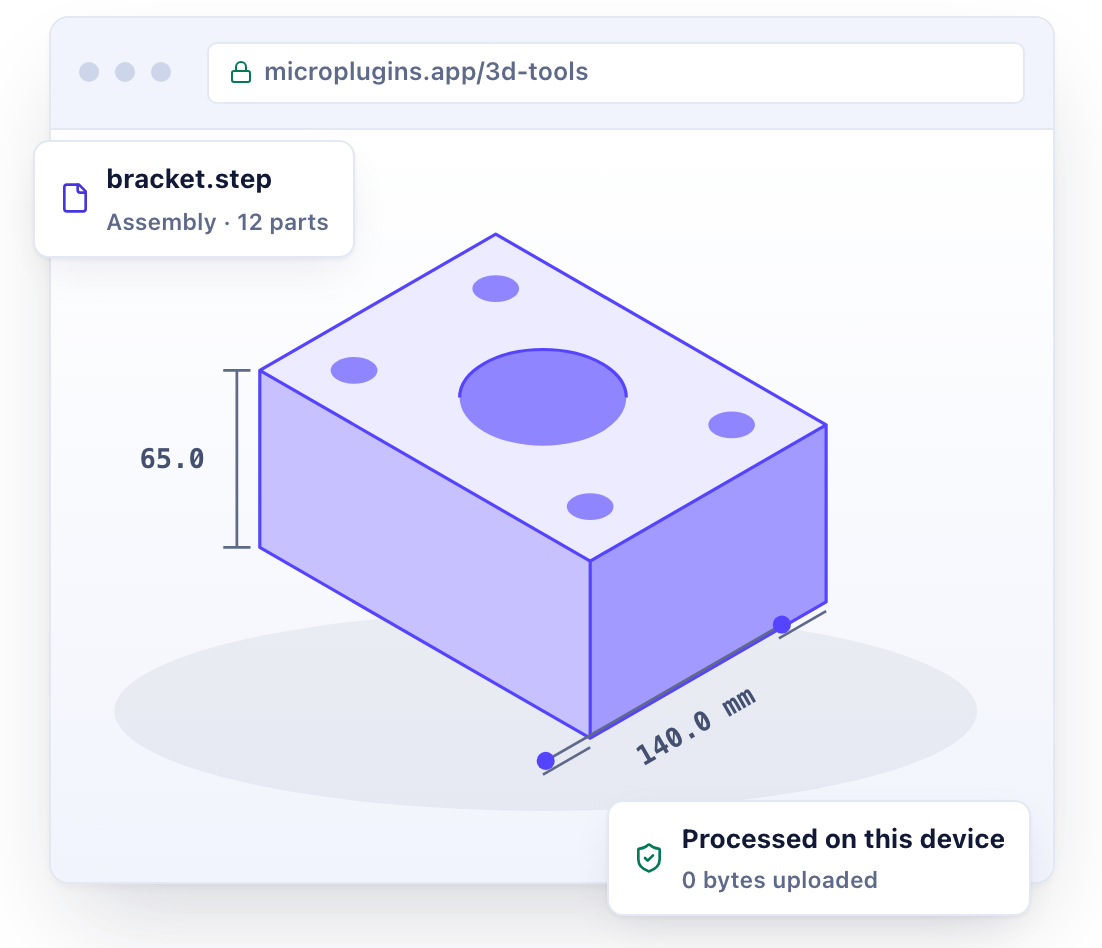
Your file: bracket.stepNot sent
Why MicroPlugins
No upload, no account, no catch
Upload-based tools work, but they ask you to hand over your file. Here is what changes when the work happens in your browser.
| MicroPlugins | Typical upload-based tools | |
|---|---|---|
| Where your file is processed | On your device | On their server |
| Account required | No account | Often, for large files or downloads |
| File size limit | Up to 2 GB per file | Often capped on free plans |
| Waiting in a queue | No queue | Common at busy times |
| Watermarks or daily caps | None | Common on free plans |
| Price | Free | Free tier, then paid |
Supported formats
Opens the formats you actually use
More than 30 file types across CAD, BIM, 3D printing, web and animation. Companion files such as .bin, .mtl and textures load with the model.
CAD
Engineering parts and assemblies from SolidWorks, Fusion, CATIA, Rhino and FreeCAD.
- STEP
.step .stp - IGES
.iges .igs - BREP
.brep - Rhino
.3dm - FreeCAD
.fcstd
BIM and architecture
Building models from Revit, ArchiCAD and other openBIM software.
- IFC
.ifc - dotbim
.bim
Web and AR
Formats for websites, online stores, games and augmented reality.
- glTF
.gltf - GLB
.glb - USDZ
export only
Animation and games
Rigged characters, animated scenes and game assets.
- FBX
.fbx - Collada
.dae - 3DS
.3ds - DirectX
.x - BVH
.bvh - Quake
.md2 .md3 .md5mesh - MilkShape
.ms3d
Scans and more
3D scans, point clouds and long-lived exchange formats.
- PLY
.ply - OFF
.off - VRML
.wrl .vrml - LightWave
.lwo .lws - AC3D
.ac - ZIP archive
.zip
Not sure which format you need? Read the 3D file formats guide
Coming next
More tools are on the way
3D Tools is the first category. Every new tool follows the same rule: it runs in your browser and keeps your files private.
Coming soon
Calculator
Everyday and scientific maths in a clean, fast calculator. No ads, no clutter.
Coming soon
Video Editor
Trim, crop and convert clips in your browser without uploading your footage.
Coming soon
WordPress Plugins
Lightweight plugins that bring MicroPlugins tools to your WordPress site.
FAQ
Frequently asked questions
What is MicroPlugins?
MicroPlugins is a free collection of web apps that run entirely in your browser. The first category, 3D Tools, includes a 3D viewer, a 3D converter and a 3D compressor. A calculator, a video editor and WordPress plugins are in development.
Is MicroPlugins free?
Yes. Every tool is free to use, with no watermarks, no trial period and no account to create.
Are my files uploaded anywhere?
No. Your browser reads and processes each file on your own device. Files are not sent to MicroPlugins or to anyone else. You can check this yourself: open your browser’s developer tools, go to the Network tab and drop in a file. No upload appears.
Do I need to install anything or sign up?
No. Open the page and start working. The tools run in current versions of Chrome, Edge, Firefox and Safari on Windows, macOS, Linux, ChromeOS, Android and iOS. Your browser needs WebGL 2, which every current version supports.
Which 3D file formats can I open?
More than 30, including STEP, IGES, IFC, glTF, GLB, FBX, OBJ, STL, 3MF, PLY, Rhino 3DM, FreeCAD FCStd, Collada DAE and 3DS. You can also drop a ZIP archive, or a folder that holds a model and its textures.
Is there a file size limit?
Single files up to 2 GB are supported. Because the work happens on your device, the practical limit is your device’s memory. Very large CAD assemblies open best on a desktop or laptop computer.
Can I use MicroPlugins for commercial work?
Yes. You can use the tools for personal and commercial projects. You keep every right to your files and to anything you create with the tools.
Can I add the 3D viewer to my own website?
Yes. The engine behind the 3D Viewer is an open-source, MIT-licensed JavaScript library with a ready-made web component. Read how to embed a 3D model on your website or go straight to the developer docs.
Have a 3D file to open?
Drop it into the 3D Viewer. It opens in seconds, and it never leaves your device.